Best Data Analysis Software in 2026: Free and Paid
By the InfiniSynapse Data Team · Last updated: 2026-07-09 · We build an AI-native data analysis platform and evaluate competing data analysis software against real customer workloads; this roundup reflects hands-on testing, not affiliate rankings.
Table of Contents
- TL;DR
- How We Evaluated Data Analysis Software
- What Counts as Data Analysis Software
- Free Options
- Paid Options Worth the License
- Free vs Paid: How to Decide
- Picks by Team Size
- Where AI-Native Software Fits
- Selection Scorecard
- How to Run a Real-Data Trial
- Migration and Total Cost of Ownership
- Common Buying Mistakes
- Frequently Asked Questions
- Conclusion
TL;DR
Direct answer: the best data analysis software in 2026 depends on three things—your budget, your data scale, and whether the work repeats. Free options (Google Sheets, Python, R) cover learning and one-off analysis; paid platforms (Tableau, Power BI) shine at shared reporting; AI-native agents automate recurring, multi-source analysis.
Who this is for: buyers comparing data analysis software for an individual, a startup, or an enterprise team.
What you'll learn: the free and paid options worth knowing, a decision framework for free versus paid, picks by team size, a selection scorecard, and where the AI-native category changes the calculation.
This roundup is the software-buyer companion to our broader guide to data analysis tools and the five categories. For a single-tool decision framework, see how to choose a data analysis tool. For fundamentals, see what data analysis is and how it works.
How We Evaluated Data Analysis Software
We tested data analysis software for this roundup using procurement-style criteria rather than affiliate placement. Each product was evaluated on budget fit, source connectivity, performance at production scale, and whether recurring reports get faster over time—not slower. We ran side-by-side trials of the data analysis software options teams most often shortlist: free spreadsheets and notebooks, paid BI platforms, and AI-native agents. We aligned skill expectations with the Wikipedia overview of data analysis, which frames the underlying activity as inspecting, cleaning, transforming, and modeling data.
We cross-referenced autonomy and transparency trends with IBM's augmented analytics overview and adoption velocity with the Stanford HAI AI Index. For spreadsheet and BI baselines we referenced Microsoft Learn's Excel documentation, Tableau's getting-started guide, and the Python documentation for open-source notebook workflows.
The table below summarizes the evaluation dimensions we applied when scoring data analysis software candidates.
| Evaluation dimension | Why it matters in 2026 | What we tested |
|---|---|---|
| Budget model | Free, per-seat, or usage-based changes TCO | Sticker price plus analyst hours consumed |
| Source connectivity | Migration projects kill ROI | Connect Snowflake, Postgres, Excel in place |
| Data scale | Spreadsheets choke past ~1M rows | Same task at 100K vs 10M+ rows |
| Sharing and governance | Version chaos erodes trust | Governed dashboards vs emailed files |
| Recurring work | Weekly reports dominate analyst time | Repeat the same analysis a month later |
| Transparency | Wrong numbers destroy credibility | Trace every metric to its query |
| Accessibility | Bottleneck tools fail at team scale | Non-specialists can operate without training |
| Trial quality | Demos hide real failures | Test on messy production data |
What Counts as Data Analysis Software
Data analysis software is any application that helps you acquire, clean, analyze, and visualize data. That definition spans a free spreadsheet and a six-figure enterprise platform, so "best" only means something once you fix your constraints. The Wikipedia overview of data analysis frames the underlying activity; the buying decision is about which software removes your specific friction.
Three constraints decide almost every purchase:
- Budget: free, per-seat subscription, or usage-based.
- Data scale: thousands of rows in a file, or billions across a Snowflake warehouse.
- Repetition: a one-time question, or a report you rerun every week.
Hold those three in mind as you read the options below, because the same data analysis software that is perfect for a student is wrong for an operations team running weekly cohorts.
Free Options
Free tools are more capable in 2026 than most buyers assume.
Spreadsheets (Google Sheets, LibreOffice Calc)
Free spreadsheets handle pivots, charts, and formulas for small datasets. Google Sheets is the fastest way to learn analysis fundamentals at zero cost. For Excel specifically, our guide to using Excel for data analysis covers where the free ceiling sits.
Python and R
Python (with pandas) and R are free, open-source, and effectively unlimited in capability. The trade-off is that you must write and maintain code. The Python documentation is the standard starting point for reproducible scripted analysis.
Free tiers of commercial platforms
Tableau Public and the free tiers of most AI-native platforms let you produce real work at zero cost. We cover the open-data angle in Tableau Public for data analysis.
Paid Options Worth the License
You pay for one of three things: collaboration, scale, or automation.
BI and dashboard platforms
Tableau, Power BI, and Looker are paid data analysis software built for shared, governed dashboards viewed by many people. Our comparison of top data analysis platforms covers where each fits.
Statistical packages
SPSS, SAS, and Stata remain paid standards in academia and regulated industries because their procedures are documented and defensible. IBM's augmented analytics overview tracks how these established categories are absorbing AI features.
AI-native platforms
The newest paid category runs analysis autonomously across multiple sources. The Stanford HAI AI Index documents how quickly this segment moved from research into enterprise budgets. We explain the paradigm in what AI-native data analysis means.
Free vs Paid: How to Decide
The honest rule: stay free until a specific pain justifies paying. Three pains reliably justify a paid license.
| Pain | Free tool struggles | Paid software solves it |
|---|---|---|
| Sharing | Emailing files, version chaos | Governed dashboards |
| Scale | Spreadsheet chokes past ~1M rows | Warehouse-backed queries |
| Repetition | Re-doing the same analysis weekly | Automation and memory |
If none of those pains apply, free data analysis software is genuinely enough. If two or three apply, the paid license usually pays for itself in recovered analyst hours within a quarter. Compare candidates against the same three pains whenever you revisit your stack—the right data analysis software changes as scale and repetition grow. This is the same logic our software-for-data-analysis comparison applies in more detail.
Picks by Team Size
Named data analysis software picks vary sharply by team size. The table below compares what we recommend most often after real-data trials.
| Team size | Recommended stack | Typical monthly budget | Why this stack |
|---|---|---|---|
| Solo / student | Google Sheets + Python | $0 | Learn fundamentals without license cost |
| Startup (2–20) | Power BI or AI-native agent + Snowflake | $50–500/user | One paid layer for the biggest bottleneck |
| Mid-market | Tableau + warehouse + AI-native agent | $500–2,000/user | Governed dashboards plus ad-hoc automation |
| Enterprise | Looker + Snowflake + statistical package | Custom | Central governance and defensible procedures |
When our team helped a five-person startup analyze 12 million records for a board meeting in 90 minutes, the winning data analysis software was not the one with the prettiest charts—it was the one that connected to their sources and repeated the analysis next month without re-setup.
Practical example: a mid-market e-commerce team spends $18,000 per year on Tableau licenses but still exports to Excel every Monday for a manual reconciliation step. After a trial, they add an AI-native agent for the recurring pull and present finance with a 70% reduction in weekly prep time. The CFO approves the incremental spend because the evidence mirrors what Harvard Business Review's skills-based hiring research describes as increasingly decisive: measurable outcomes over brand prestige.
Where AI-Native Software Fits
Most data analysis software is an instrument the analyst plays. AI-native software performs the piece and hands you the recording to inspect. This category fits when your bottleneck is preparation or repetition across multiple sources—exactly the work that consumes 60–80% of analyst time in teams we evaluate.
For warehouse-scale or multi-source work, supplement spreadsheets or BI tools with hands-on AI practice on governed sources. Governance-minded buyers should validate lineage the way Databricks documentation recommends for warehouse-grounded analytics.
Selection Scorecard
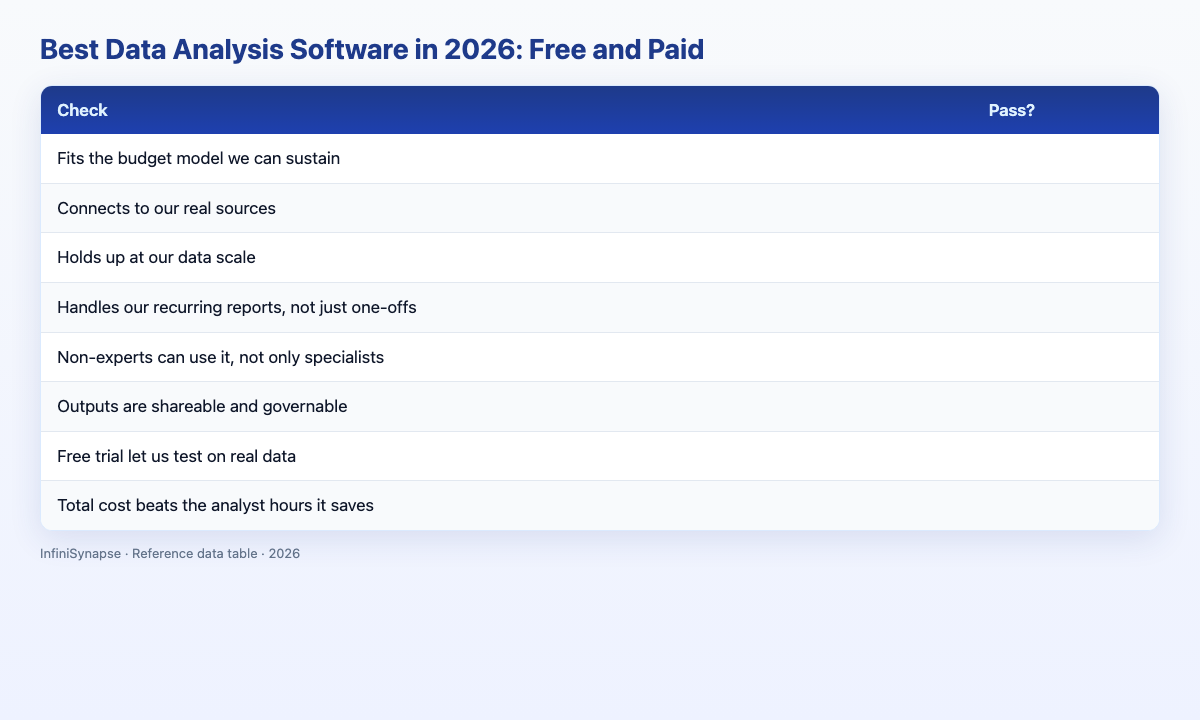
Score any data analysis software before buying (1 point each):
| Check | Pass? |
|---|---|
| Fits the budget model we can sustain | |
| Connects to our real sources | |
| Holds up at our data scale | |
| Handles our recurring reports, not just one-offs | |
| Non-experts can use it, not only specialists | |
| Outputs are shareable and governable | |
| Free trial let us test on real data | |
| Total cost beats the analyst hours it saves |
6–8: buy (~20% of candidates we test). 3–5: scope it to one use case (~45%). Below 3: keep looking.
How to Run a Real-Data Trial
Vendors will happily demo their software on a spotless sample dataset. That tells you almost nothing. A trial only counts if it runs on the data you actually have, with the mess you actually carry.
Structure the trial in three moves. First, connect your real source—a live database or your genuine export, not a cleaned copy. Second, ask the software to answer a question you already know the answer to, so you can judge correctness rather than presentation. Third, repeat that same question a week later and measure how much setup you had to redo. The gap between the first run and the second run is the truest signal of long-term cost, and it is invisible in a one-hour demo.
Watch three things while you test: how the software handles missing values and inconsistent formats, whether it explains what it did or merely produces a number, and how many people on your team can operate it without a training session. A tool that only one specialist can drive is a bottleneck wearing the costume of a solution. Apply this trial discipline to every data analysis software candidate on your shortlist.
Migration and Total Cost of Ownership
The sticker price is the smallest part of what data analysis software costs. The larger costs are migration and human time. Software that demands you move data into its proprietary store before you can analyze anything imposes a migration tax measured in weeks, plus ongoing sync and governance overhead that never fully goes away.
Prefer options that read your existing sources in place—Snowflake, Postgres, MySQL, and file exports. When we help teams total up ownership cost, the platforms that connect directly almost always win the twelve-month math, because the analyst hours saved dwarf the license fee. A cheaper tool that consumes ten hours of setup a month is more expensive than a paid tool that consumes one.
Common Buying Mistakes
Mistake 1: Paying before feeling a pain. If free software already covers sharing, scale, and repetition, a license adds cost without value.
Mistake 2: Buying charts when the problem is data prep. Beautiful dashboards on dirty data mislead. Fix preparation first, then choose data analysis software that connects to clean, governed sources.
Mistake 3: Ignoring recurring cost. The cheapest data analysis software is expensive if it forgets everything and forces a fresh setup each week.
Mistake 4: Skipping the real-data trial. Every tool looks great on its sample dataset. Insist on testing your own messy file before committing to any data analysis software license.
Frequently Asked Questions
What is the best software for beginners?
For most people the best free data analysis software is a spreadsheet (Google Sheets or LibreOffice Calc) paired with an AI-native free tier so you can ask questions in plain language. If you can code, Python with pandas or R is free and effectively unlimited in capability.
Is paid software worth it?
Paid data analysis software is worth it when you feel a specific pain—shared reporting, data too large for spreadsheets, or the same analysis repeated weekly. If none of those apply, free tools are genuinely sufficient and a license just adds cost.
What software do businesses use?
Businesses typically combine a data warehouse (Snowflake), a BI layer such as Tableau or Power BI for dashboards, and increasingly an AI-native agent for ad-hoc and recurring analysis. Smaller teams often start with one paid platform that targets their single biggest bottleneck.
Can I use analytics software without coding?
Yes. Spreadsheets, BI platforms, and AI-native data analysis software all work without code. Coding unlocks custom statistics and machine learning, but cleaning, joining, metrics, and charts can now be produced by describing the goal to an AI-native agent.
How is analytics software changing in 2026?
The biggest shift is autonomy and memory: agents plan multi-step analysis, connect to sources in place, and preserve finished work for reuse. The Stanford HAI AI Index documents the speed of this transition, and IBM's augmented analytics overview tracks how established vendors are responding.
Conclusion
The best data analysis software in 2026 is the one that removes your specific pain at a cost your team can sustain. Stay free until sharing, scale, or repetition forces the decision; then buy the category that matches the bottleneck rather than the tool with the flashiest demo. Revisit the choice when your team or data scale changes—good data analysis software should still fit after a year, not fight you.
To practice AI-native workflows on your own data, try the InfiniSynapse web app free on registration, no credit card required.